


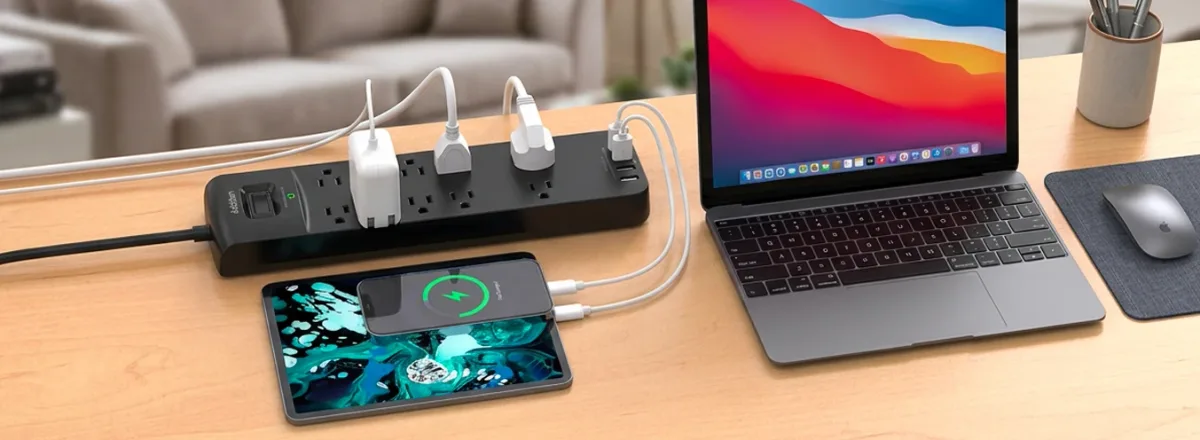
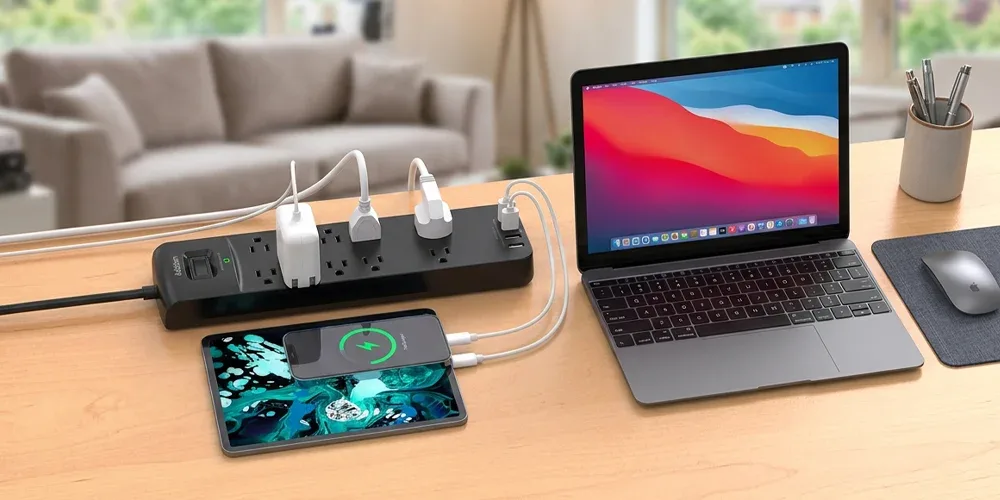
With smartphones, laptops, televisions, gaming consoles, routers, chargers, and other electronic devices becoming part of everyday life, having enough electrical outlets is increasingly important. A good extension board makes it easier to connect several compatible devices from one wall socket while keeping your home or workspace organized.
Extension boards are commonly used in homes, offices, bedrooms, gaming rooms, shops, and study areas across Dubai and the UAE. However, choosing the right one involves more than simply counting the number of available sockets.
Cable length, electrical capacity, switches, USB charging ports, socket spacing, and safety features should all be considered before buying.
What Is an Extension Board?
An extension board is an electrical accessory that connects to a wall outlet and provides several additional sockets for compatible electronic devices.
Most models include a cable with a plug on one end and multiple sockets on the board itself. Depending on the design, they may also feature USB ports, individual switches, power indicators, overload protection, or surge‑protection features.
A power extension can be particularly useful when the nearest wall outlet is difficult to reach or when several devices need electricity in the same area.
Common uses include connecting:
- Laptop chargers
- Computer monitors
- Televisions
- Wi‑Fi routers
- Smartphone chargers
- Gaming consoles
- Desk lamps
- Speakers
- Small electronic accessories
Why Are Extension Boards Useful?
Modern rooms often contain more electronic devices than available wall outlets. An extension board provides additional connection points without requiring you to constantly unplug one device to use another.
For example, a home‑office desk may need power for a laptop, monitor, phone charger, printer, router, and desk lamp.
Instead of using different wall outlets around the room, one properly selected power board can create a convenient central connection point.
Extension boards can also help improve cable organization when positioned correctly around desks, entertainment units, and workstations.
What Is an Extension Box?
An extension box performs a similar function to an extension board. The main difference is often its physical design.
Some models are long and narrow, while others use a compact rectangular or cube‑style enclosure.
Regardless of the shape, buyers should focus on important specifications such as:
- Number of sockets
- Maximum electrical rating
- Cable length
- Socket type
- USB charging availability
- Individual switches
- Protection features
- Overall build quality
A compact design may work well on a desk, while a longer board may be more suitable behind a television unit or computer setup.
What Is a Socket Extension?
A socket extension increases the number of available electrical connection points from an existing wall outlet.
Some products connect directly to the wall, while others include a cable that allows the sockets to be positioned farther away.
A direct wall extender may be useful for charging several devices in a compact space. A cable‑based model provides greater flexibility when the wall socket is behind furniture or located away from your desk.
How Many Sockets Should You Choose?
The right number of sockets depends on how many devices you normally use.
A small extension board with three or four sockets may be enough for a bedside table or study desk.
A larger board with six or eight sockets may be more suitable for:
- Computer setups
- Gaming stations
- Entertainment systems
- Office desks
- Shared workspaces
However, having more sockets does not mean you should connect unlimited equipment.
Always follow the electrical capacity and usage instructions provided by the manufacturer.
Choose the Right Cable Length
Cable length is another important factor.
A short cable works well when the wall outlet is close to the equipment. Longer cables provide more flexibility when furniture or room layouts make electrical outlets difficult to reach.
Before buying an electric extension, measure the distance between the wall outlet and the location where you plan to position the board.
Avoid selecting a cable that is much longer than necessary, as excessive cable can create clutter or become a trip hazard.
Should You Choose USB Ports?
Many modern extension boards now include USB‑A or USB‑C charging ports.
These ports can make charging smartphones, earbuds, smartwatches, power banks, and other devices more convenient because you may not need a separate wall charger.
However, USB charging performance varies between products.
If fast charging is important, check the manufacturer's stated USB output and charging specifications before purchasing.
USB‑C does not automatically mean every fast‑charging technology is supported.
Are Individual Switches Useful?
Some extension boards include one master switch, while others provide separate switches for individual sockets.
Individual controls allow you to turn selected devices on or off without disconnecting everything.
For example, you could leave your Wi‑Fi router running while switching off your monitor, speakers, and other equipment after finishing work.
This feature can be especially useful for computer desks, television areas, gaming setups, and shared office workstations.
What Is a Power Socket Extender?
A power socket extender is generally a compact accessory designed to increase the number of connections available from one wall outlet.
Some models plug directly into the socket without requiring a long cable.
These products can be convenient for:
- Bedrooms
- Offices
- Hotel rooms
- Study areas
- Charging stations
- Small workspaces
Before buying, check whether the shape of the extender will block nearby wall sockets or switches.
How to Compare Extension Board Price in UAE
When comparing extension board price, avoid choosing a product based only on the lowest cost.
Several factors can affect pricing, including:
- Brand
- Number of outlets
- Cable length
- USB ports
- USB‑C charging
- Individual switches
- Protection features
- Build quality
- Design
- Additional functions
A simple four‑socket board will naturally have different features from a larger multi‑socket model with USB charging and individual controls.
The best value comes from choosing the features you actually need rather than simply selecting the cheapest or most expensive product.
What Should You Check Before Buying?
Before choosing a power extension board, consider the following points.
Number of Outlets
Count how many devices you normally connect and choose enough sockets without unnecessarily oversizing the board.
Socket Spacing
Large chargers and adapters can block neighboring outlets. Wider spacing can make connecting several devices easier.
Electrical Rating
Check the manufacturer's maximum current and power specifications.
Cable Quality
The cable should feel durable and suitable for regular use.
Protection Features
Check whether the manufacturer specifically mentions overload protection, surge protection, safety shutters, or other protective features.
Do not assume that every extension product includes them.
Plug Compatibility
Choose a model designed for the electrical sockets and devices you use in the UAE.
Extension Board for Home Offices
Home offices are one of the most common places where additional sockets are needed.
A typical workspace may include:
- Laptop
- Monitor
- Smartphone charger
- Router
- Printer
- Speakers
- Desk lamp
A suitable power extension board can help keep these devices connected from one convenient location while improving cable organization.
Models with USB charging ports may be particularly useful for phones and smaller accessories.
Extension Boards for Gaming and TV Setups
Gaming and entertainment setups often require several electrical connections.
A television area may include a TV, soundbar, streaming device, gaming console, router, and other accessories.
Similarly, a gaming desk may require power for a computer, monitor, speakers, console, controller chargers, and decorative lighting.
Choose a product with enough outlets and always stay within its specified electrical limits.
Extension Board Safety Tips
Extension boards should always be used responsibly.
Keep these basic precautions in mind:
- Do not exceed the manufacturer's rated load.
- Avoid using damaged cables or sockets.
- Keep extension boards away from water.
- Do not place cables where they can easily be crushed.
- Avoid connecting multiple extension boards together.
- Stop using a board if you notice unusual heat, sparks, damage, or a burning smell.
- Follow the manufacturer's instructions for high‑power equipment.
If a room constantly requires several extensions, having additional permanent wall sockets installed by a qualified electrician may be a better long‑term solution.
Frequently Asked Questions
What is a power socket extension?
A power socket extension provides additional electrical outlets or extra reach from an existing wall socket.
Can an extension board charge phones?
Yes. You can connect a normal phone charger to an AC socket or use built‑in USB ports when available.
Does every extension board offer surge protection?
No. Surge protection must be specifically stated in the product specifications.
How many sockets do I need?
It depends on your equipment. Three or four may be enough for basic use, while larger workstations may require six or more.
Can I connect one extension board to another?
It is generally better to avoid connecting several extension boards together. Use an appropriately sized board connected directly to a suitable wall outlet.
Final Thoughts
A good extension board can make powering and organizing modern electronics much easier at home or work.
Before purchasing, compare the number of sockets, cable length, electrical rating, USB ports, switches, socket spacing, and available safety features.
Most importantly, choose a model based on the devices you actually need to connect rather than the number of sockets alone.
Star Gallery Mart offers extension socket options for different home, office, charging, and electronic setups. Compare the available features and choose a solution that provides the right combination of convenience, functionality, and everyday usability.


